Broken Window Glass for Unreal Engine 5.8
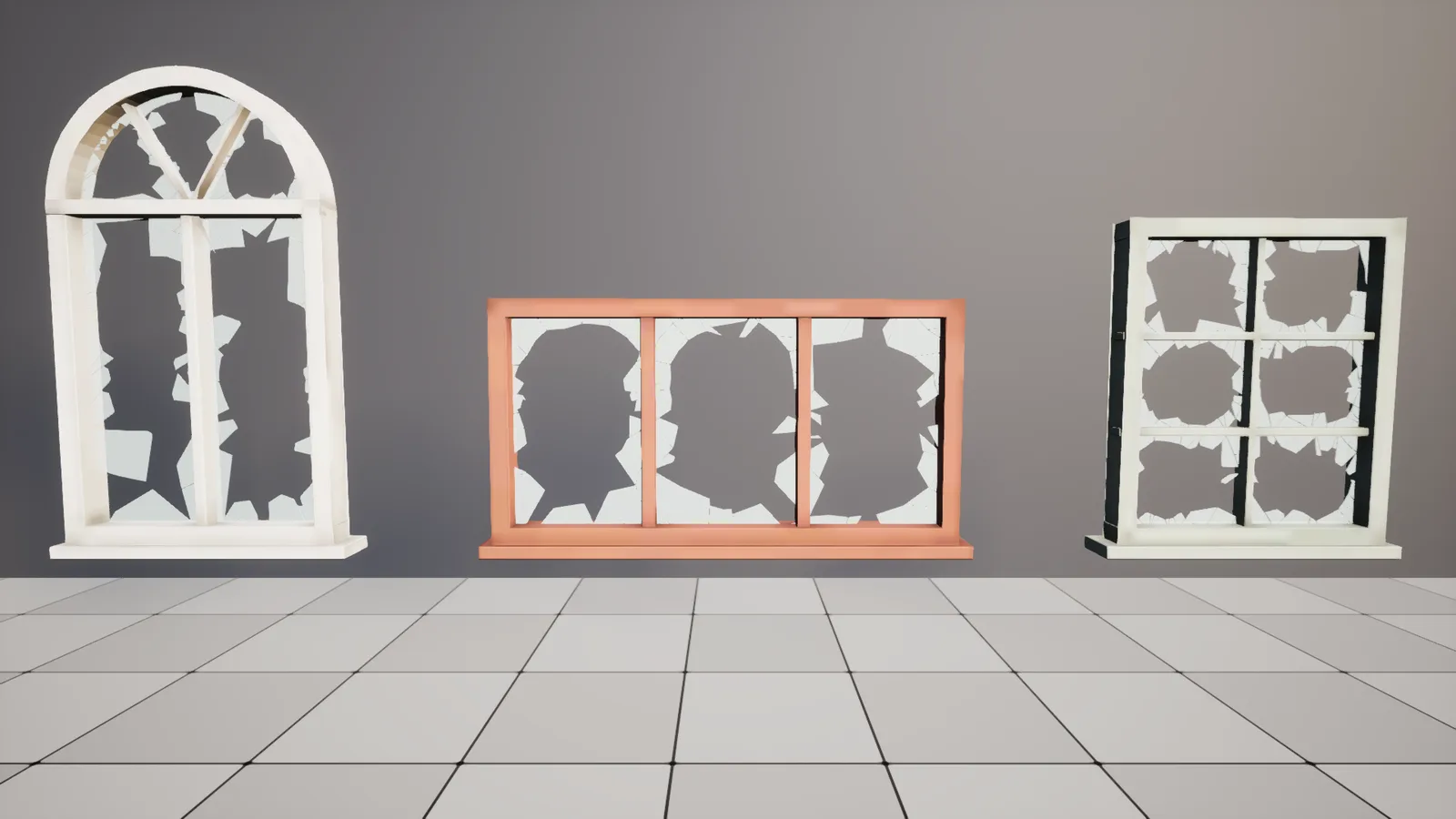
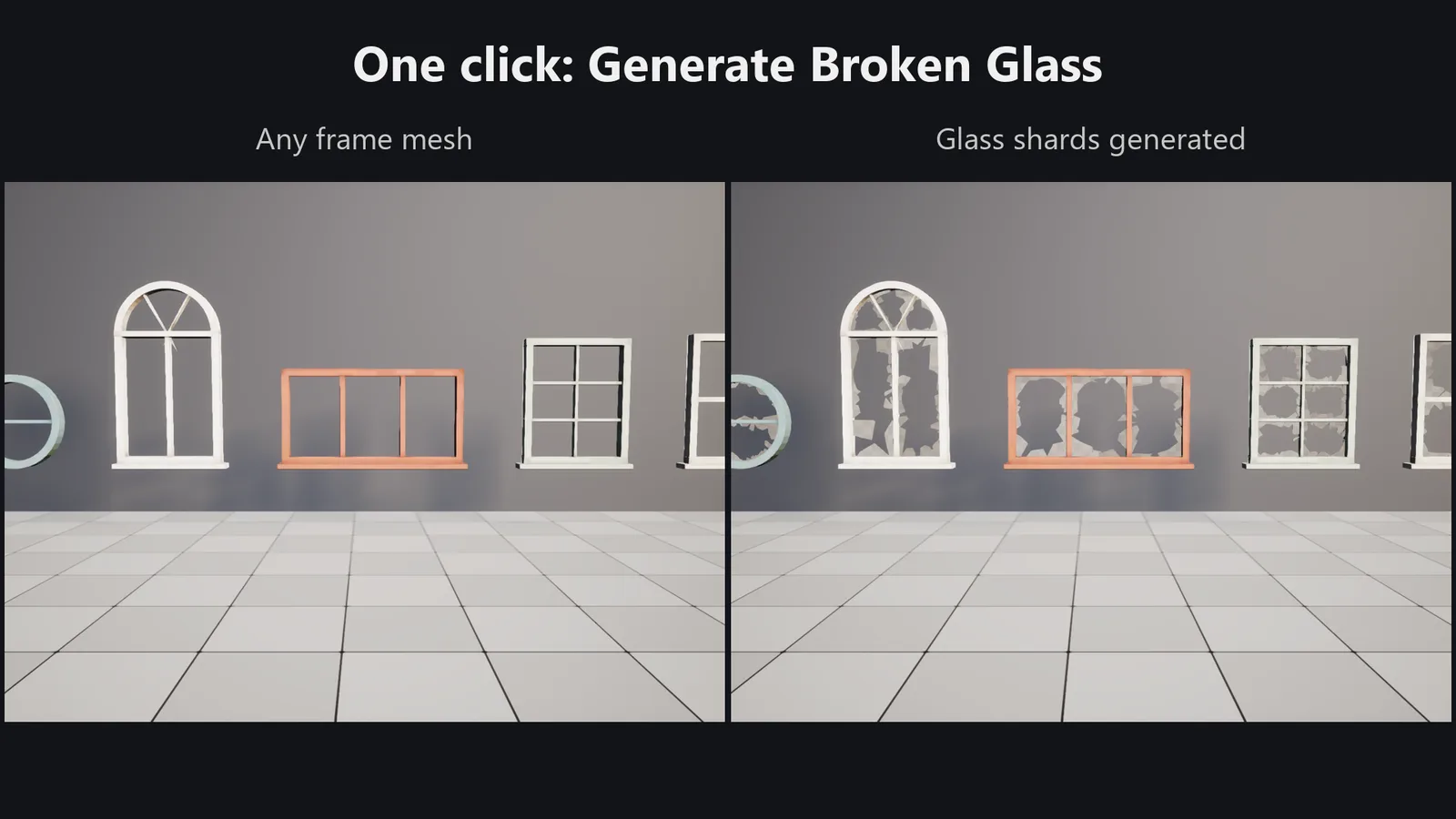
Turn any window frame mesh into a broken window in one click. The plugin finds every opening in the frame (square, arched, round, multi-pane), cracks a pane of glass from an impact point, and keeps only the jagged shards still held by the frame along the edges and corners.
This is the Unreal version of the Broken Window Glass Blender add-on. It uses the same algorithm and the same default settings. All lengths are in centimetres.
What it adds
- Broken Window Glass component (
UBrokenWindowGlassComponent, a Procedural Mesh Component). Attach it to the frame's Static Mesh Component. All settings are in the Details panel, and it rebuilds as you change them. Its buttons are Regenerate, New Seed and Clear Glass. The generated mesh is saved with the level, so nothing is computed at runtime. - Right-click a frame actor in the level ▸ Broken Window Glass. The same entries are also under Tools ▸ Broken Window Glass:
- Generate Broken Glass: adds the component, or regenerates it if the actor already has one.
- New Seed (Reroll Break): gives the selected frames a new random break.
- Bake Glass to Static Mesh: saves the glass as a Static Mesh asset next to the frame mesh, then swaps the component for a Static Mesh Component. Use this for Nanite, instancing and packaging.
- Remove Broken Glass
- Right-click Static Mesh assets in the Content Browser ▸ Create Broken Glass Meshes is the batch mode. For every selected frame mesh it writes
<Mesh>_BrokenGlass_A,_B,_C… next to the mesh. Running it again overwrites them. The glass shares the frame's pivot, so place it at the frame's transform. - Default material
/BrokenWindowGlass/Materials/M_BrokenGlass: translucent, two-sided, Fresnel opacity. Parameters: Tint, Roughness, Specular, OpacityFacing, OpacityGrazing, FresnelExponent, DirtAmount.MI_BrokenGlass_Dirtyis a grimier preset. - Editor Preferences ▸ Plugins ▸ Broken Window Glass: the default settings for new glass, the default material, the number of variants and the name suffix.
- Everything can be scripted from Python or Blueprint through
BrokenWindowGlassEditorLibrary(generate_for_actors,bake_actors,create_glass_variants,remove_from_actors). At runtime you can use Add Broken Glass To Frame and Regenerate.
Installation
- On Fab, add the plugin to your library. Then, in the Epic Games Launcher, go to Fab Library and click Install to Engine for Unreal Engine 5.8.
- Open your project and go to Edit ▸ Plugins. Search for Broken Window Glass, tick it and restart the editor. The engine's Procedural Mesh Component plugin is enabled automatically.
Works in Blueprint-only and C++ projects.
Quick start
- Place your window frame mesh in the level.
- Right-click it and choose Broken Window Glass ▸ Generate Broken Glass.
- Don't like the break? Choose New Seed, or change Seed on the BrokenGlass component.
Depth Axis defaults to Auto. It tries the mesh's local Y, X and Z axes and uses whichever finds openings. Meshes imported from Blender usually face Y, and meshes built in Unreal usually face X. If detection picks the wrong axis, set it by hand. The axis that was used is shown under Last Stats.
Settings
| Group | Setting | What it does |
|---|---|---|
| Seed | Repeatable break. Identical windows with the same seed still differ, because the actor name is mixed in. | |
| Depth Axis | Auto / X / Y / Z: the local axis the window looks along. | |
| Shatter | Edge Amount | How far the remaining glass reaches in from the frame. |
| Corner Bias | Extra glass kept in the corners. | |
| Gaps | Chance that an edge shard has fallen out. | |
| Impact Spread | How far from the pane centre the impact can land. | |
| Radial Cracks Min/Max | Number of cracks radiating from the impact. | |
| Ring Spacing Min/Max | Growth between the concentric cracks (bigger = longer shards). | |
| Glass | Thickness | Glass thickness. 0 gives flat, double-sided shards. |
| Frame Overlap | How far the glass tucks into the frame, so there are no seams. | |
| Crack Gap | Gap between neighbouring shards. | |
| Shard Tilt | Random tilt per shard, in degrees, for varied reflections. | |
| Depth Offset | Slides the glass along the depth axis, for example into a rabbet. | |
| UV Per Metre | World-scale planar UVs, so one tiling dirt texture fits every window. | |
| Detection | Detection Resolution | Grid size used to find openings. Lower it for thin frames or tiny panes. |
| Min Opening Area | Holes smaller than this (cm²) are ignored. | |
| Component | Glass Material, Glass Collision, Auto Regenerate |
Tips
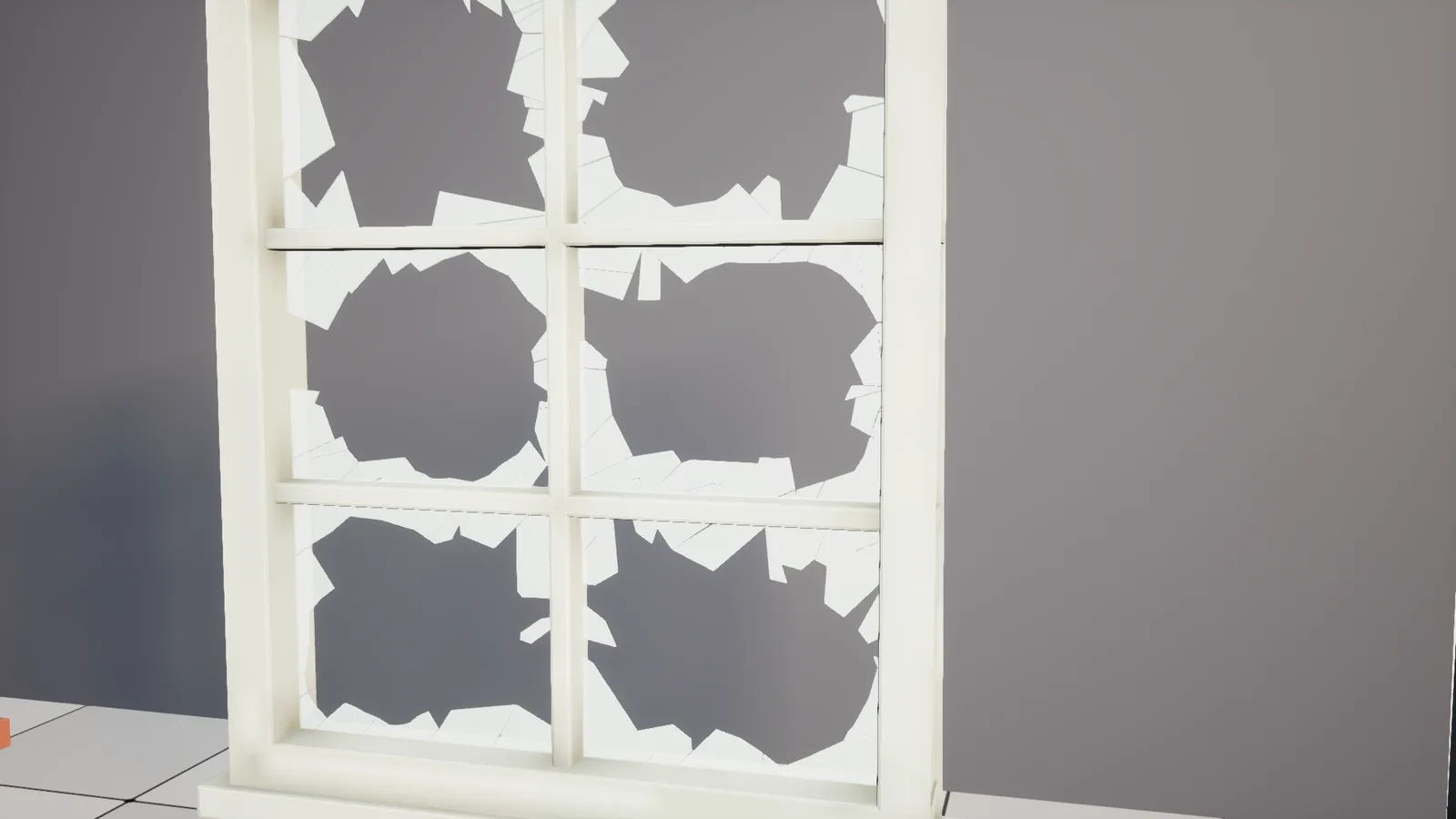
- If the frame mesh already has a glass pane modelled into it, remove the pane first. It blocks detection.
- The frame component's scale is applied before detection, so sizes are always real centimetres. If you rescale the actor later, press Regenerate.
- To generate glass at runtime in a packaged game, the frame mesh needs Allow CPU Access turned on. In the editor the source mesh is always used.
How it works
The frame's triangles are rasterised onto a grid along the depth axis. Empty cells enclosed by the frame are openings. Each opening is cut by radial and concentric cracks from a random impact point. Shards that don't touch the frame fall out. Long shards are trimmed with random cuts into pointy pieces, using a distance field to the frame. The remaining shards are shrunk by the crack gap, tilted slightly, and extruded into slabs.
Tests
Automation RunTests BrokenWindowGlass runs 7 tests:
- 2D helpers
- opening detection (multi-pane, round, area filter, solid)
- shard coverage
- pipeline determinism, winding and thickness
- axes, Auto detection and scale
- editor static mesh variants
- editor generate / reroll / bake / remove on a rotated, scaled actor
Rebuild the material with Scripts/build_glass_material.py (UnrealEditor-Cmd <uproject> -run=pythonscript -script=<path>).
Questions or problems? Use the contact page and mention Broken Window Glass. Contact support